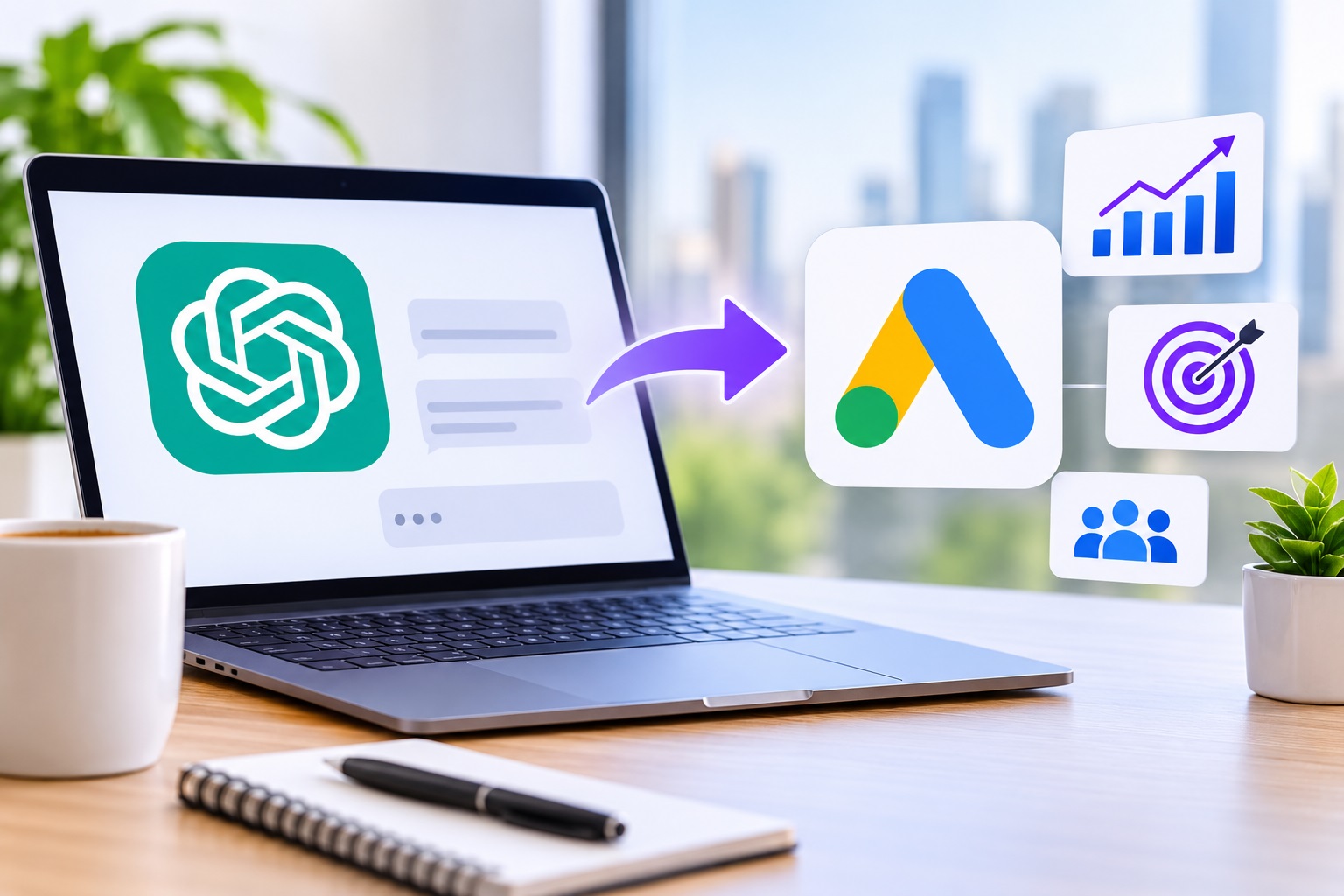
Google Ads is one of the most effective ways for businesses to reach potential customers, generate qualified leads, and increase online sales. However, creating successful advertising campaigns requires more than simply choosing keywords and setting a daily budget. Businesses need compelling ad copy, relevant keywords, attractive headlines, well-written landing page content, and continuous campaign optimisation.
This is where ChatGPT can make digital advertising easier and more efficient.
ChatGPT is an AI-powered assistant that can help marketers research keywords, write Google Ads headlines, create descriptions, develop advertising strategies, analyse campaign performance, and generate new ideas for improving conversions. Whether you are a small business owner, marketing professional, or digital marketing agency, learning how to use ChatGPT for Google Ads can help streamline your advertising workflow.
In this guide, we will explain how to use ChatGPT to create better Google Ads campaigns, improve ad copy, find relevant keywords, and develop advertising strategies that support business growth.
1. Understand How ChatGPT Can Help with Google Ads
Managing Google Ads involves several activities, including keyword research, audience targeting, campaign planning, writing advertisements, and performance analysis.
ChatGPT can assist with many of these tasks by generating ideas and providing structured recommendations based on the information you share.
For example, if you run a website design company, you can ask ChatGPT to suggest advertising headlines, descriptions, and keywords for services such as website development, SEO, and digital marketing.
Some of the key ways to use ChatGPT for Google Ads include:
– Generating Google Ads headlines and descriptions.
– Finding keyword ideas related to your business.
– Creating negative keyword suggestions.
– Developing advertising strategies for different industries.
– Writing persuasive calls to action.
– Creating landing page content.
– Analysing campaign reports and identifying potential improvements.
However, ChatGPT does not replace Google Ads management tools. Its suggestions should be checked against actual keyword data, search trends, competition, advertising policies, and campaign performance.
2. Use ChatGPT for Google Ads Keyword Research
Keyword research is one of the most important steps when creating a Google Ads campaign. Choosing relevant keywords helps businesses reach people who are actively searching for their products or services.
ChatGPT can help generate keyword ideas based on your business category, target audience, location, and advertising objectives.
For example, if you provide SEO services in the UK, you can ask ChatGPT to generate relevant keywords such as:
– SEO services company UK
– Best SEO agency in UK
– Professional SEO services
– Affordable SEO packages
– Local SEO services
– SEO consultant for small businesses
You can also ask ChatGPT to organise keywords according to search intent, such as informational, commercial, and transactional intent.
Example ChatGPT prompt:
“Act as a Google Ads specialist. I run a digital marketing agency offering SEO services in the UK. Generate 50 relevant Google Ads keywords grouped by high purchase intent, local search intent, and service-specific intent. Also suggest negative keywords to avoid irrelevant traffic.”
This approach can help you build an initial keyword list more efficiently.
Before adding these keywords to your campaign, validate their search volume, competition, and estimated costs using Google Keyword Planner. You should also review actual search terms after your campaign starts running.
3. Create High-Converting Google Ads Headlines Using ChatGPT
Your advertisement’s headline is one of the first things potential customers notice when searching on Google. A strong headline should communicate your service, highlight its value, and encourage users to take action.
Writing multiple headline variations manually can take considerable time. ChatGPT can generate different headline ideas based on your target keywords and business objectives.
For example, if your company offers website design services, ChatGPT can suggest headlines such as:
– Professional Website Design Services
– Affordable Website Design Company
– Grow Your Business With a New Website
– Custom Website Design for Businesses
– Get a Professional Business Website
You can also ask ChatGPT to create headlines focused on specific benefits, locations, offers, and customer requirements.
Example ChatGPT prompt:
“Create 15 compelling Google Responsive Search Ad headlines for a website design company targeting small businesses in the UK. Include relevant keywords, customer benefits, and strong calls to action. Keep every headline within Google’s character limits.”
Always check the character limits and policy requirements before uploading the generated headlines. Avoid making misleading claims or using unsupported promises.
4. Write Persuasive Google Ads Descriptions
Headlines attract attention, but descriptions help potential customers understand why they should choose your business.
A good Google Ads description should explain your service, communicate a clear benefit, and encourage users to take the next step.
For example, a digital marketing company could use descriptions such as:
– Grow your online presence with professional SEO and digital marketing services. Contact our team today.
– Looking for better online visibility? Explore tailored digital marketing solutions for your business.
ChatGPT can generate several description variations for different customer segments.
You can also ask it to create advertisements highlighting affordability, professional experience, service quality, limited-time offers, or free consultations, provided the claims are accurate.
Example ChatGPT prompt:
“Write four Google Ads descriptions for a digital marketing agency offering SEO, Google Ads management, and social media marketing. Focus on generating qualified business enquiries. Use natural language, clear benefits, and strong calls to action.”
Testing different descriptions can help you understand which messaging attracts more relevant customers.
5. Generate Negative Keywords to Reduce Wasted Ad Spend
One common challenge in Google Ads is receiving clicks from people who are not interested in purchasing your products or services. These irrelevant clicks can consume your advertising budget without generating valuable enquiries.
Negative keywords help prevent your advertisements from appearing for certain irrelevant search terms.
ChatGPT can help identify potential negative keywords based on your business category and advertising goals.
For example, if you offer paid website design services, you may want to review search terms such as:
– Free website builder
– Website design jobs
– Website design course
– Website design tutorial
– Learn web development
– Website design salary
These searches may not match the intent of someone looking to hire a professional website design company.
Example ChatGPT prompt:
“Act as a Google Ads campaign specialist. My business provides paid website design and development services in the UK. Generate a list of 100 potential negative keywords to reduce irrelevant clicks. Organise them into jobs, courses, free services, tutorials, and unrelated searches.”
Review the suggestions carefully before adding them to your campaign. A negative keyword that is too broad could also block relevant potential customers.
6. Create Different Google Ads Campaign Strategies
Every business has different advertising requirements. A real estate company may want property enquiries, while an ecommerce store may focus on product sales. A digital marketing agency may want qualified leads from business owners.
ChatGPT can help develop campaign structures based on specific business objectives.
For example, a digital marketing agency could organise its campaigns into:
– SEO Services Campaign
– Website Design Campaign
– Google Ads Management Campaign
– Social Media Marketing Campaign
– Digital Marketing Services Campaign
Each campaign can have separate ad groups, relevant keywords, targeted advertisements, and dedicated landing pages.
You can also ask ChatGPT to develop different advertising approaches for local businesses, startups, ecommerce companies, and established organisations.
Example ChatGPT prompt:
“Create a Google Ads campaign structure for a digital marketing agency targeting small and medium-sized businesses in the UK. The agency offers SEO, website design, Google Ads management, and social media marketing. Suggest campaign names, ad groups, keywords, negative keywords, and landing page recommendations.”
This gives you a starting structure that you can refine using actual customer demand, budget, and search data.
7. Improve Your Google Ads Landing Pages Using ChatGPT
Getting clicks is only one part of successful advertising. Your landing page must convince visitors to take action, whether that means submitting an enquiry form, booking a consultation, making a purchase, or calling your business.
ChatGPT can help review landing page content and suggest improvements to make it more relevant to your advertisements.
For example, if your Google Ads campaign targets “SEO Services for Small Businesses”, your landing page should clearly explain:
– What SEO services you provide.
– How your services benefit small businesses.
– What makes your company different.
– Your pricing or service packages, where appropriate.
– How customers can contact your team.
You can ask ChatGPT to rewrite unclear content, improve headlines, create stronger calls to action, and suggest frequently asked questions.
Example ChatGPT prompt:
“Review the following landing page content for my SEO services. Suggest improvements to the headline, introduction, service benefits, calls to action, and enquiry form. Make the content persuasive, easy to understand, and relevant to visitors coming from Google Ads.”
Remember that your landing page should deliver what your advertisement promises. Relevant landing pages also help provide a better experience for potential customers.
8. Analyse Google Ads Performance with ChatGPT
Launching an advertising campaign is not the end of the process. Regular monitoring and optimisation are essential for improving campaign results.
ChatGPT can help interpret campaign reports if you provide relevant performance data.
You can share metrics such as:
– Impressions
– Clicks
– Click-through rate (CTR)
– Average cost per click (CPC)
– Conversions
– Conversion rate
– Cost per conversion
– Advertising spend
For example, if a campaign receives many clicks but very few enquiries, ChatGPT can help investigate possible reasons. These could include irrelevant search terms, weak landing page content, unclear offers, or problems with conversion tracking.
Example ChatGPT prompt:
“Act as a Google Ads performance analyst. Analyse the following campaign data and identify potential reasons for low conversions. Suggest practical improvements to keywords, ad copy, landing page content, and targeting. Prioritise recommendations based on their potential business impact.”
Always remember that ChatGPT can analyse the data you provide, but it cannot independently verify your live Google Ads account performance unless you provide the relevant information through an available integration.
9. Use ChatGPT to Save Time and Improve Advertising Productivity
Another major advantage of using ChatGPT for Google Ads is that it can reduce the time spent on repetitive marketing activities.
Instead of creating every advertisement, keyword list, and campaign idea manually, marketers can use AI to generate initial drafts and refine them.
For example, you can use ChatGPT to:
– Generate multiple ad copy variations.
– Create advertising ideas for seasonal promotions.
– Write call-to-action messages.
– Prepare campaign planning documents.
– Generate competitor research questions.
– Create monthly advertising reports.
– Develop new strategies for different customer segments.
This allows marketing professionals to spend more time reviewing campaign performance, understanding customer behaviour, and making strategic decisions.
10. Best Practices When Using ChatGPT for Google Ads
Although ChatGPT can support many advertising activities, using its suggestions without checking them can create problems.
Follow these practices when using AI for Google Ads:
- Verify keyword data: Use Google Keyword Planner and actual search-term reports rather than relying only on AI-generated keyword suggestions.
- Check advertising policies: Review all headlines, descriptions, and creative assets to ensure they comply with Google’s advertising policies.
- Write original advertisements: Avoid repetitive or generic descriptions. Focus on genuine business benefits and customer requirements.
- Monitor conversion tracking: Make sure forms, phone calls, purchases, and other important actions are being measured correctly.
- Test different ad variations: Compare different messaging and offers to understand what generates better results.
- Review campaign performance regularly: Use real campaign data to guide your optimisation decisions.
Google’s Responsive Search Ads support up to 15 headlines and four descriptions, with maximum lengths of 30 and 90 characters respectively. This gives advertisers flexibility to test different combinations of messaging.
Google also recommends using distinct, relevant headlines and descriptions rather than repeating similar phrases.
Why Businesses Should Combine ChatGPT with Professional Google Ads Management?
ChatGPT can make Google Ads campaign planning faster, but successful advertising still requires experience, research, testing, and ongoing optimisation.
Businesses need to understand their target audience, select appropriate bidding strategies, monitor advertising costs, and ensure that campaigns generate meaningful business results.
Combining AI-powered tools with professional Google Ads management can help businesses improve their advertising processes and make more informed decisions.
At Webvizion, we understand that successful digital marketing requires the right combination of technology, creativity, and marketing expertise. From Google Ads management and SEO to website design and social media marketing, businesses need an effective online strategy to reach their target customers.
If you want to improve your online advertising performance, investing in a well-planned Google Ads strategy can be a valuable step towards generating more enquiries and growing your business.
Schedule a free consultation Call!
Frequently Asked Questions
1. Can ChatGPT help create Google Ads campaigns?
Yes. ChatGPT can help generate keyword ideas, write advertising headlines and descriptions, suggest negative keywords, create campaign structures, and develop advertising strategies. However, campaigns still need to be configured and managed through Google Ads.
2. How can I use ChatGPT for Google Ads keyword research?
You can provide ChatGPT with your business category, target location, products, and services. It can generate relevant keyword ideas and organise them according to search intent. You should validate these suggestions using Google Keyword Planner before using them in campaigns.
3. Can ChatGPT write Google Ads headlines and descriptions?
Yes. ChatGPT can generate multiple headline and description variations based on your target keywords and advertising objectives. You should check character limits, accuracy, relevance, and Google Ads policies before publishing them.
4. Can ChatGPT help reduce Google Ads costs?
ChatGPT can suggest ways to improve keyword targeting, identify potential negative keywords, and optimise advertising messages. These suggestions may help reduce wasted spending, but actual cost improvements depend on campaign performance and proper optimisation.
5. Is ChatGPT enough to manage Google Ads campaigns?
No. ChatGPT is an assistance tool rather than a complete Google Ads management platform. Professional campaign management still requires keyword research, audience analysis, bidding decisions, conversion tracking, budget management, and continuous performance monitoring.