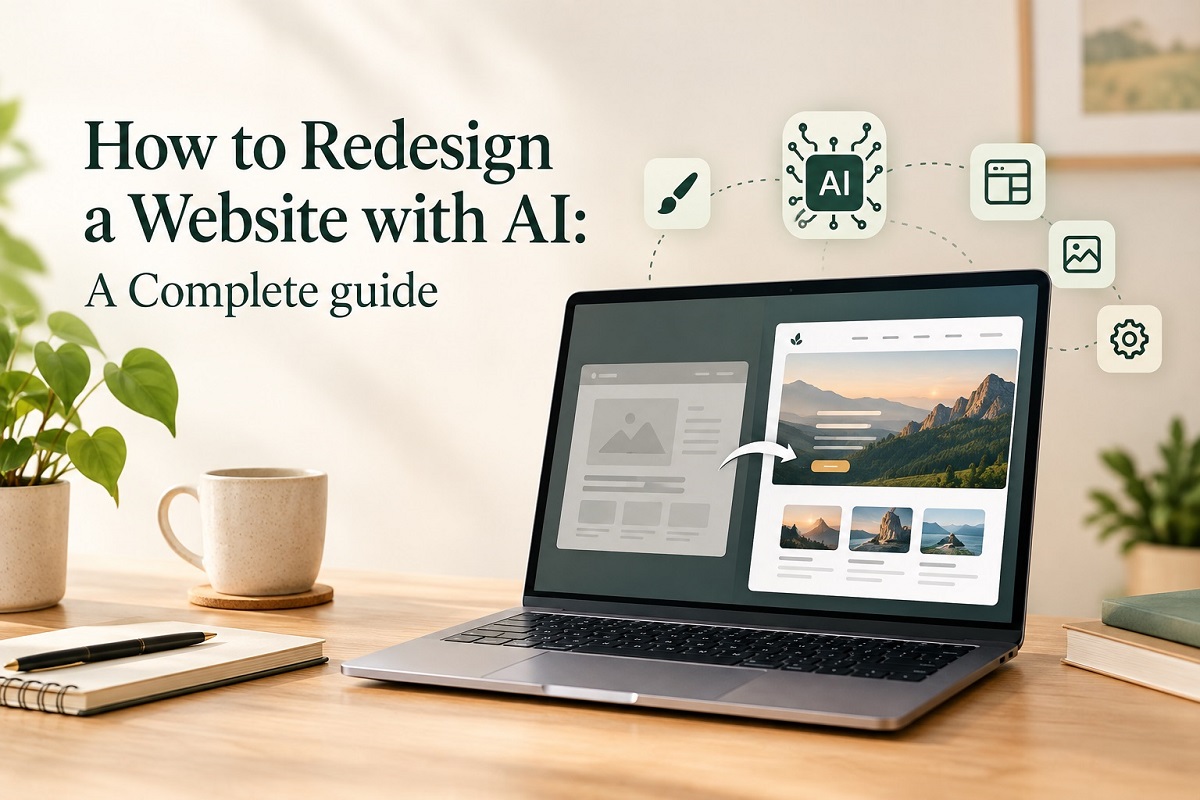
A website is often the first interaction a potential customer has with a business. If the design looks outdated, the pages load slowly, the navigation is confusing, or the website does not work properly on mobile devices, visitors may leave before they understand what the business offers. This is where AI website redesign is becoming increasingly useful. Artificial intelligence can help businesses analyse existing websites, identify design and usability problems, generate new ideas, improve content, create layouts and support developers throughout the website redesign process.
However, AI should not replace strategy, creativity or professional expertise. The best results come from combining AI with human experience and a clear understanding of your customers.
Businesses looking for a reliable Website Design Company can use AI to improve planning and decision-making during a redesign project. While AI provides useful insights, experienced teams offering Web Design Services can ensure the final website aligns with business goals, user expectations, and modern design standards.
In this guide, we explain how to redesign a website with AI, from analysing your existing website to launching a modern, high-performing digital experience.
Why Consider an AI Website Redesign?
Many older websites were built several years ago and may no longer reflect a company’s brand, services, or customers. Some may also have poor mobile experiences, outdated layouts, or technical problems.
A website redesign provides an opportunity to improve the complete digital experience.
Using website design with AI, businesses can quickly explore different layouts, content structures and website redesign ideas. AI can also analyse information and identify potential areas for website improvement.
A modern redesign can help improve:
- User experience
- Mobile responsiveness
- Website navigation
- Page speed
- Search engine visibility
- Conversion rates
- Brand presentation
- Content structure
- Website accessibility
AI can make the process faster, but the objective should always be to create a website that is useful for real people.
How to Redesign a Website with AI?
If you are wondering how to use AI to redesign a website, the process should start with research rather than immediately changing the visual design.
1. Analyse Your Existing Website
Before you redesign website pages, understand what is currently working and what needs improvement.
AI tools can help analyse website content, page structures, headings, navigation and user journeys. You can also combine AI analysis with information from Google Analytics, Search Console and other website performance tools.
Look at questions such as:
- Which pages receive the most traffic?
- Which pages generate enquiries or sales?
- Where are visitors leaving?
- Is the website easy to use on mobile?
- Are important services easy to find?
- Are there outdated pages?
- Are important keywords already ranking?
This initial research creates a strong foundation for the AI website redesign process.
2. Define Your Redesign Goals
A redesign should have a clear purpose.
For example, an ecommerce business may want to increase purchases, while a professional service company may want more enquiries. Another business may simply need a website refresh to create a more modern brand image.
Define measurable goals before beginning the project.
Your objectives could include improving conversions, increasing organic traffic, reducing bounce rates, improving mobile usability or making the website easier to manage.
This is an important part of creating a successful website redesign strategy using AI.
3. Use AI to Generate Design Ideas
One of the biggest advantages of AI web design is the ability to explore different concepts quickly.
AI design tools can help generate ideas for:
- Homepage layouts
- Landing pages
- Navigation structures
- Colour combinations
- Typography
- Content hierarchy
- Calls to action
- Section structures
Businesses can use AI tools for web design to explore different visual directions before deciding on a final concept.
However, generated ideas should be reviewed by a designer. AI may produce something visually interesting that does not necessarily match your brand or provide a good customer experience.
4. Improve Website UI and UX
Good design is more than attractive colours and images. Your website should make it easy for visitors to find information and take action.
AI can support website UI design by suggesting layouts, spacing, content hierarchy and interface structures.
It can also help with website UX design by analysing customer journeys and identifying potential usability issues.
For example, if users need to click through several pages before finding your contact form, AI may help identify a simpler navigation structure.
Using AI tools to improve website user experience can therefore help designers make more informed decisions.
5. Create a Modern and Responsive Design
If you are learning how to make a website look modern using AI, focus on simplicity rather than adding unnecessary visual effects.
Modern website design generally prioritises:
- Clear navigation
- Strong visual hierarchy
- Readable typography
- Consistent branding
- Fast loading
- Mobile-first layouts
- Clear calls to action
- High-quality visuals
AI can provide inspiration based on current web design trends, but your website should not blindly follow every trend.
The design needs to remain relevant to your audience and business.
6. Improve Website Content with AI
A redesign is also an opportunity to improve your website copy.
AI can help identify repetitive content, unclear messaging, missing information and weak calls to action. It can also assist with creating content outlines and improving readability.
However, automatically generated content should always be reviewed and edited by humans.
Your website content needs to communicate your experience, expertise and unique value rather than sounding generic.
7. Use AI for SEO During the Redesign
One of the biggest mistakes businesses make is redesigning a website without considering SEO.
If important URLs, content, headings or internal links are changed incorrectly, organic rankings can be affected.
A strong AI website redesign for better SEO should consider technical and on-page SEO throughout the process.
Before launching, review:
- Page titles
- Meta descriptions
- Headings
- URLs
- Internal links
- Image alt text
- Structured data
- Mobile usability
- Page speed
- Redirects
- Existing rankings
Understanding how to redesign a website without losing SEO is especially important for established businesses that already receive organic traffic.
Following website redesign SEO best practices can help protect existing visibility while creating opportunities for new rankings.
8. Improve Website Performance
A beautiful website will not perform well if it is slow.
AI can assist with identifying potential performance issues, while developers can implement the required technical improvements.
Consider optimising:
- Images
- JavaScript
- CSS
- Fonts
- Hosting
- Caching
- Third-party scripts
- Mobile performance
Using AI tools for website performance optimization can help identify areas that deserve attention, but technical implementation should be properly tested.
How to Redesign an Old Website with AI?
If you are wondering how to redesign an old website with AI, do not completely replace everything at once.
Start by auditing the current website. Identify valuable pages, existing rankings, important content and features that customers use.
Then determine what should be:
- Kept
- Improved
- Rewritten
- Redesigned
- Removed
- Replaced
This approach is much safer than simply asking an AI website builder to recreate the entire website.
For businesses asking how to modernize an outdated website with AI, the objective should be to combine the strengths of the existing website with a modern digital experience.
AI Website Redesign for WordPress
WordPress remains a popular platform for businesses, and AI can support many parts of the redesign process.
If you are researching how to redesign a WordPress website with AI, AI can assist with content planning, layout ideas, SEO recommendations, image concepts and code-related tasks.
However, WordPress websites also require attention to themes, plugins, security, performance and compatibility.
A good AI website redesign for WordPress should therefore involve testing on a staging environment before changes are applied to the live website.
A professional WordPress Web Design Company can combine AI-driven recommendations with technical expertise to create fast, secure, and scalable websites. Many businesses also invest in Custom Website Design Services and Responsive Web Design Services to ensure their websites perform effectively across all devices.
AI Website Redesign for Ecommerce
For ecommerce businesses, the website needs to do more than look attractive.
A successful AI website redesign for ecommerce should focus on the complete shopping journey.
AI can help businesses analyse product categories, search behaviour, product descriptions, navigation and potential conversion barriers.
When considering how to redesign an ecommerce website with AI, pay particular attention to product discovery, mobile shopping, checkout usability, calls to action and page speed.
Using AI tools for ecommerce website redesign can help generate ideas, but real customer behaviour and analytics should guide final decisions.
For online stores, partnering with an experienced Ecommerce Web Design Company or Ecommerce Website Development Company can help improve product discovery, user experience, and conversion rates. AI tools can support the process, but strategic implementation remains essential for long-term success.
Best AI Tools for Website Redesign
There are many best AI tools for website redesign and best AI tools for web design, ranging from AI website builders to design, content, analytics and development tools.
Depending on your project, AI can assist with:
- Wireframes
- Website layouts
- Content creation
- Image generation
- UX research
- SEO analysis
- Code assistance
- Performance analysis
- Design inspiration
An AI website builder can be useful for creating an initial website concept quickly, while professional designers and developers can refine the result.
The best approach is not necessarily to find one tool that does everything. Instead, use the right AI design tools and website design tools for each stage of the project.
Should You Use AI or a Professional Web Design Company?
AI can make website redesign faster, but it does not replace professional strategy.
A website needs to reflect your brand, understand your customers and support specific business goals. Professional designers can turn AI-generated concepts into practical experiences that are consistent, accessible and conversion-focused.
This is particularly important for businesses looking for AI-powered website redesign services, custom website redesign services or professional website design services.
AI should be viewed as a powerful assistant rather than a complete replacement for experienced web professionals.
Final Thoughts
Learning how AI helps with website redesign can give businesses a faster and more efficient way to improve their online presence. From research and wireframes to content, UX, SEO, and performance optimisation, AI can support almost every stage of a modern redesign.
However, successful website redesign using artificial intelligence requires more than simply generating a new layout. The process should combine AI capabilities with business strategy, professional design, technical expertise and real customer insights.
Whether you need a complete website makeover, a simple website refresh, improved SEO or a completely new digital experience, the right strategy can turn an outdated website into a modern business asset.
Businesses seeking Website Redesign Services should also consider integrating SEO Web Design Services into the project. A Professional Web Design Company can help preserve search visibility while delivering a modern, user-friendly experience that supports business growth.
Redesign Your Website with Webvizion
If your website needs a professional upgrade, Webvizion is one of the best and leading website design and SEO companies, helping businesses create modern, user-friendly and search-engine-friendly websites.
From website design and AI-assisted redesign to SEO, ecommerce development, and website optimization, Webvizion can help you build a stronger digital presence.
Ready to redesign your website and grow your online presence?